Blog

  • Monday CRM Review (2026) – Is It a Good CRM for Small Businesses?

    Monday CRM review (2026): In this in-depht review, we analyze Monday CRM’s features, pricing, automation tools, integrations, and overall value for small businesses.

    In this 2026 review, we evaluate Monday CRM based on usability, automation, customization, pricing, integrations, and overall value for small businesses.

    If you are comparing multiple options, see our full guide to the best CRM for small businesses.


    Our Verdict

    Monday CRM is one of the most user-friendly CRM platforms available today. It combines visual pipeline management with strong automation and customization features.

    It is best suited for small businesses that want flexibility without technical complexity. However, pricing can increase quickly as your team grows.

    Overall rating: 8.7/10

    Best for: Small teams that want a modern, visual CRM with strong automation.


    What Is Monday CRM?

    Monday CRM is a customizable customer relationship management system built on the monday.com platform.

    It allows businesses to:

    Track leads and deals
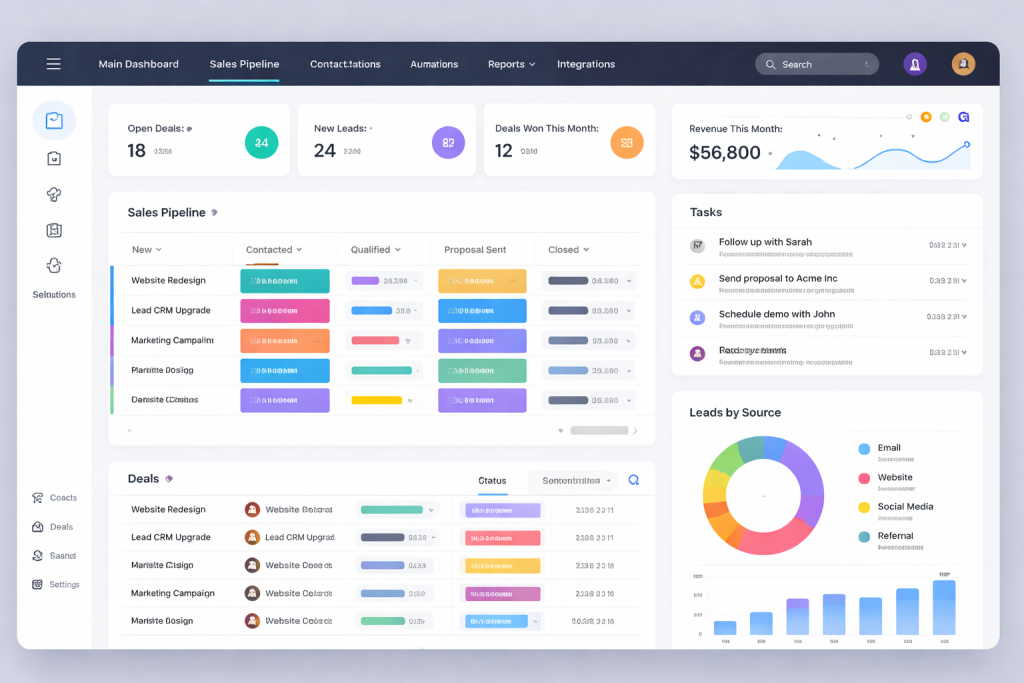
    Manage sales pipelines visually
    Automate repetitive tasks
    Collaborate across teams
    Generate reports and dashboards

    Unlike traditional CRMs, Monday CRM focuses heavily on visual boards and drag-and-drop workflows.


    Key Features

    1. Visual Sales Pipelines

    Monday CRM uses boards to manage deals and leads.

    You can:

    Drag and drop deals between stages
    Customize pipeline columns
    Create multiple sales pipelines
    Add custom fields

    The interface is extremely intuitive, making it ideal for beginners.


    2. Automation

    Monday CRM includes built-in automation recipes such as:

    Automatically assign leads
    Send email notifications
    Update deal stages
    Create follow-up tasks

    Automation setup is simple and does not require coding.


    3. Customization

    One of Monday CRM’s strengths is flexibility.

    You can customize:

    Columns and data fields
    Pipeline stages
    Dashboards
    Workflows

    This makes it adaptable to different industries and sales processes.


    4. Reporting and Dashboards

    Monday CRM includes visual dashboards where you can track:

    Deal progress
    Sales performance
    Revenue forecasts
    Team productivity

    Reports are clear and easy to understand, although advanced analytics are more limited compared to enterprise-level CRMs.


    5. Integrations

    Monday CRM integrates with:

    Google Workspace
    Outlook
    Slack
    Mailchimp
    Zapier
    Various marketing and productivity tools

    Integration setup is straightforward.


    Pricing (2026)

    Monday CRM pricing is typically structured in tiers based on number of users and feature access.

    Plans include:

    Basic
    Standard
    Pro
    Enterprise

    Pricing is competitive for small teams but becomes more expensive as you add users.

    There is usually a free trial available.


    Pros and Cons

    Pros

    Very easy to use
    Modern and clean interface
    Strong automation features
    Flexible customization
    Quick setup

    Cons

    Can become expensive for larger teams
    Less advanced reporting than enterprise CRMs
    Some features require higher-tier plans


    Monday CRM vs Zoho CRM

    Compared to Zoho CRM:

    Monday CRM is easier to use
    Zoho CRM offers deeper automation and customization
    Monday has a more visual interface
    Zoho has a broader ecosystem

    If simplicity and speed are your priorities, Monday CRM may be the better choice.

    If you want deeper functionality and long-term scalability, Zoho CRM may be stronger.

    You can read our full Zoho CRM review for a detailed breakdown.


    Is Monday CRM Good for Small Businesses?

    Monday CRM is an excellent option for small businesses that:

    Want a modern interface
    Need quick setup
    Value collaboration
    Prefer visual workflow management

    It is especially strong for startups and small sales teams.


    Final Verdict

    Monday CRM offers a powerful balance between usability and functionality. It is one of the easiest CRMs to implement and manage, making it ideal for small businesses in 2026.

    While it may not offer the deepest enterprise features, it delivers strong value for growing teams that want flexibility without complexity.
  • Zoho CRM review (2026)- Is it a good CRM for small businesses?

    Zoho CRM is one of the most established CRM platforms on the market. Known for its broad ecosystem and competitive pricing, it positions itself as an affordable yet powerful solution for small and growing businesses. if you’re comparing multiple options, see our full guide to best CRM for small businesses.

    In this 2026 review, we evaluate Zoho CRM based on usability, features, automation capabilities, pricing, integrations, and scalability to determine whether it is a strong choice for small businesses.


    Our Verdict

    Zoho CRM is a feature-rich and scalable CRM platform that offers strong automation and customization at a competitive price.

    It is best suited for small businesses that want flexibility and advanced functionality without paying enterprise-level prices. However, the interface and setup process can feel overwhelming for beginners compared to simpler tools like Pipedrive.

    Overall rating: 8.5/10

    Best for: Small businesses that want advanced features and long-term scalability.


    What Is Zoho CRM?

    Zoho CRM is a cloud-based customer relationship management system designed to help businesses manage leads, contacts, sales pipelines, automation workflows, and reporting.

    It is part of the larger Zoho ecosystem, which includes marketing, finance, HR, help desk, and productivity tools.

    Zoho CRM helps businesses:

    Track and manage leads
    Build custom sales pipelines
    Automate workflows and follow-ups
    Create detailed reports and dashboards
    Integrate with marketing and communication tools


    Key Features

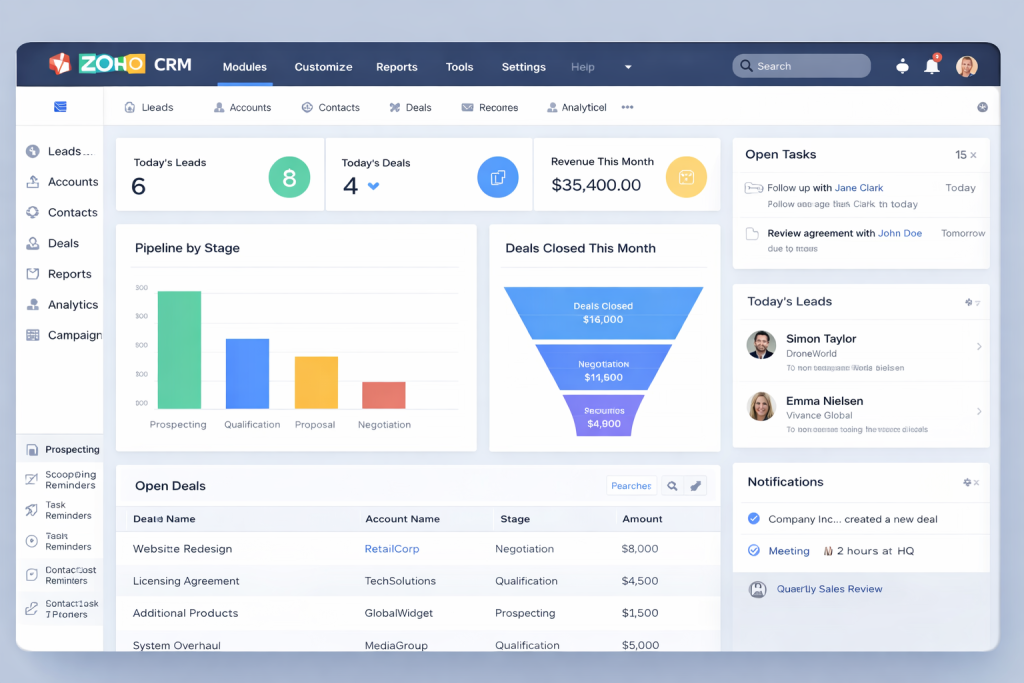
    1. Sales Pipeline Management

    Zoho CRM allows users to create fully customizable pipelines. You can:

    Create multiple pipelines
    Define custom stages
    Track deal progress visually
    Assign deals to team members

    The flexibility is strong, but the interface is slightly more complex than beginner-focused CRMs.


    2. Workflow Automation

    Automation is one of Zoho CRM’s biggest strengths.

    You can automate:

    Lead assignments
    Email follow-ups
    Task creation
    Status updates
    Approval processes

    Automation rules are available even on mid-tier plans, which makes Zoho attractive for growing teams.


    3. Reporting and Analytics

    Zoho CRM includes:

    Custom dashboards
    Forecasting tools
    Performance tracking
    Advanced analytics (on higher plans)

    Small businesses that rely on performance data will find this especially useful.


    4. Integrations

    Zoho integrates with:

    Google Workspace
    Microsoft 365
    Mailchimp
    QuickBooks
    Zapier
    And the broader Zoho ecosystem

    If you plan to use multiple Zoho products, the ecosystem integration becomes a major advantage.


    Pricing (2026)

    Zoho CRM offers multiple pricing tiers, typically structured as:

    Free Plan – Limited features for very small teams
    Standard – Entry-level paid plan
    Professional – Advanced automation and customization
    Enterprise – Full automation and AI features

    Compared to competitors, Zoho CRM is competitively priced, especially considering the depth of features included.


    Pros and Cons

    Pros

    Affordable pricing
    Strong automation capabilities
    Highly customizable
    Wide integration options
    Scalable for growing teams

    Cons

    Interface can feel complex for beginners
    Setup takes longer than simpler CRMs
    Some advanced features are locked behind higher-tier plans


    Zoho CRM vs Simpler CRMs

    Compared to tools like Pipedrive, Zoho CRM offers:

    More customization
    Stronger automation
    Broader ecosystem integration

    However, it requires more setup time and has a steeper learning curve.

    If you prioritize simplicity and speed, a lightweight CRM may be better.

    If you prioritize flexibility and long-term scalability, Zoho CRM is a strong option.


    Is Zoho CRM Good for Small Businesses?

    Zoho CRM is a strong option for small businesses that:

    Plan to scale
    Need automation early
    Want customizable workflows
    Value reporting and analytics

    It may not be ideal for solo founders who want the simplest possible setup.


    Final Verdict

    Zoho CRM delivers strong value for money and offers advanced features typically found in more expensive platforms.

    While it may require more setup and learning compared to beginner-friendly CRMs, it rewards businesses that invest time in configuration.

    For small businesses looking for long-term scalability, Zoho CRM is a solid choice in 2026.

    1. ↩︎
  • Pipedrive Review (2026) – Is It the Best CRM for Small Businesses?

    In this review, we take a closer look at Pipedrive and evaluate whether it is the best CRM for small businesses in 2026 — based on usability, automation features, pricing, and scalability.

    Our Recommendation

    After comparing usability, pricing, automation features, and scalability, Pipedrive stands out as one of the best CRM solutions for small businesses in 2026.

    It offers the right balance between simplicity and powerful sales tools without overwhelming smaller teams.

    Start your free Pipedrive trial to see how it fits your sales process.

    What Is Pipedrive?

    Pipedrive is a sales-focused customer relationship management (CRM) platform designed to help businesses manage leads, track deals, and improve sales performance.

    It is built around a visual pipeline that gives teams a clear overview of every deal stage.

    Key Features

    Visual Sales Pipeline

    The drag-and-drop pipeline makes it easy to move deals through stages and customize your sales workflow.

    Sales Automation

    Automate repetitive tasks such as follow-up emails, activity reminders, and deal progression. This reduces manual work and improves consistency.

    Lead Management

    Capture and organize leads from web forms, integrations, and email. Assign leads to team members and track their progress in real time.

    Reporting and Insights

    Create custom dashboards and reports to monitor revenue, conversion rates, and sales performance.

    Pricing

    Pipedrive offers multiple pricing tiers depending on your needs. Plans typically start at an affordable entry level, making it accessible for startups and small teams.

    More advanced plans include deeper automation, reporting, and AI-powered features.

    Pros and Cons

    Pros

    • Easy to use
    • Clean visual pipeline
    • Strong automation features
    • Scales with growing teams

    Cons

    • Limited marketing automation compared to enterprise CRMs
    • Some advanced features require higher-tier plans

    Who Is Pipedrive Best For?

    Pipedrive is ideal for:

    • Small businesses
    • Sales-driven teams
    • Startups
    • Service-based businesses
    • Companies that want a simple but powerful CRM

    Final Verdict

    Pipedrive is one of the strongest CRM options for small businesses in 2026. It combines usability, automation, and affordability in a way that makes it suitable for growing teams.

    If your focus is improving sales structure and closing more deals without unnecessary complexity, Pipedrive is a strong choice.

  • Best CRM for Small Businesses (2026 Guide)

    Best CRM for Small Businesses (2026 Guide)


    Introduction

    Small businesses need structure to grow. Without a CRM, leads get lost, follow-ups are missed, and sales opportunities disappear.

    In this guide, we review the best CRM for small businesses in 2026 — based on ease of use, automation features, pricing, and scalability. if you’re also exploring AI automation tools, read our guide to the best AI tools for small businesses.

    Our Top Recommendation.

    After comparing usability, pricing, automation features, and scalabbility, Pipedrive stands out as the best CRM for small businesses in 2026.

    It offers the perfect balance between simplicity and powerful sales tools – without overwhelming smaller teams.


    What Is a CRM?

    A CRM (Customer Relationship Management system) helps businesses:

    • Track leads
    • Manage pipelines
    • Automate follow-ups
    • Improve sales processes
    • Increase conversion rates

    For small businesses, the right CRM can save hours every week.


    🏆 Best CRM for Small Businesses (2026)


    1. Pipedrive – Best for Sales-Focused Teams

    Best for: Sales-driven small businesses
    Pricing: Mid-range
    Strength: Visual sales pipeline

    Pipedrive is one of the most intuitive CRMs on the market. It focuses heavily on pipeline management, making it ideal for businesses that rely on structured sales processes.

    Key features:
    • Drag-and-drop sales pipelines
    • Email integration
    • Automation workflows
    • Reporting dashboards

    Why it’s great for small businesses:
    It’s simple, focused, and not overwhelming.

    Pipedrive website


    2. HubSpot CRM – Best Free Option

    Best for: Startups and beginners
    Pricing: Free plan available
    Strength: Marketing integration

    HubSpot offers a powerful free CRM with strong marketing tools built in.

    Key features:
    • Contact management
    • Email tracking
    • Basic automation
    • Marketing tools


    3. Zoho CRM – Best Budget Option

    Best for: Cost-conscious businesses
    Pricing: Affordable tiers
    Strength: Feature-rich at low cost

    Zoho CRM offers strong automation features at competitive pricing.


    4. Monday Sales CRM – Best for Customization

    Best for: Teams needing flexibility
    Pricing: Mid to high
    Strength: Custom workflows

    Monday allows you to customize almost everything.


    📊 Comparison Table

    CRMBest ForFree PlanAutomationEase of Use
    PipedriveSales teamsNoStrongVery Easy
    HubSpotBeginnersYesModerateEasy
    ZohoBudgetLimitedStrongModerate
    MondayCustom workflowsNoStrongModerate

    💡 How to Choose the best right crm for businesses.

    When choosing a CRM, consider:

    • Your sales process
    • Team size
    • Budget
    • Required integrations
    • Growth plans

    If you’re also exploring automation and AI software, read our guide to the best AI tools for small businesses.


    ❓ FAQ Section

    What is the best CRM?

    Pipedrive is often considered the best CRM for sales-focused small businesses due to its simplicity and pipeline visibility.

    Is there a free CRM for small businesses?

    Yes, HubSpot offers a free CRM plan.

    Do small businesses really need a CRM?

    Yes. Even small teams benefit from structured lead management and automation.

  • Best AI Tools for Small Businesses (2026)

    Introduction

    Running a small business is time-consuming and competitive.

    You need to market, sell, manage customers, create content, handle support — often without a large team.

    That’s where best AI tools for small businesses come in.

    The right AI software can automate repetitive work, improve marketing performance, increase sales, and save 10–20 hours per week.

    In this guide, we compare the best AI tools for small businesses in 2026 — based on real-world usability, pricing, features, and return on investment.

    1. Jasper – Best for AI Content Creation

    Jasper is one of the most powerful AI writing tools for businesses that need blog posts, ads, emails and website copy fast.

    Best for: Marketing teams and content-heavy businesses
    Pricing: Mid-range
    Strength: High-quality long-form content

    👉 Try Jasper here.

    Quick Comparison: Why these Are the Best AI Tools for Small Businesses.

    (Lav den som tabel-block)

    ToolBest ForFree TrialStarting Price
    JasperContent marketingYes$49/mo
    ChatGPTGeneral AI assistantYesFree / Paid
    Surfer SEOSEO optimizationNo$89/mo
    Canva AIDesign & brandingYesFree / Pro
    PipedriveSales automationYes$14.90/mo

    2. ClickUp – Best for Productivity & Task Management

    ClickUp combines project management with AI features that help teams plan, write, summarize and automate workflows.

    Best for: Teams and service businesses
    Pricing: Affordable
    Strength: All-in-one productivity system

    👉 Try ClickUp here

    3. Zapier – Best for Automation

    Zapier connects your apps and automates repetitive tasks without coding.

    Example:
    New lead → automatically added to CRM → email sent → task created.

    Best for: Businesses that use multiple tools
    Strength: Massive automation library

    👉 Try Zapier here

    How to Choose the Right AI Tool

    Before choosing an AI tool, ask:

    • What task am I trying to automate?
    • Will this tool save more time than it costs?
    • Does it integrate with my current tools?

    Start with the best ai tools for small businesses, measure results, then scale.

    Final Thoughts

    AI is no longer optional for small businesses. that’s why you need the best Ai tools for small businesses.
    It’s a competitive advantage.

    The tools above are some of the most reliable and scalable solutions available today.

    Start small. Test. Automate. Grow.